
How to add rectangular, square or round country flags to ggplots
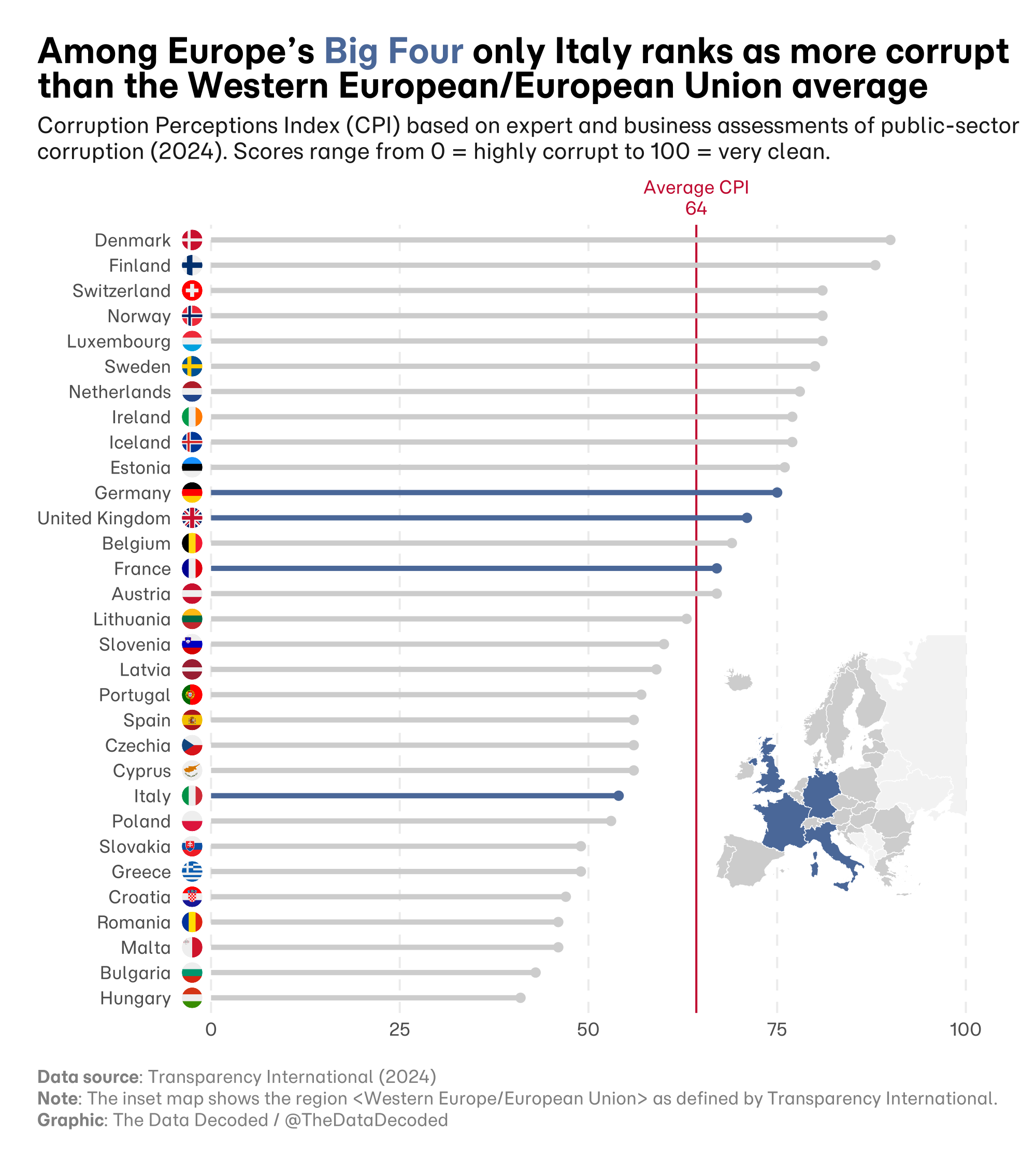
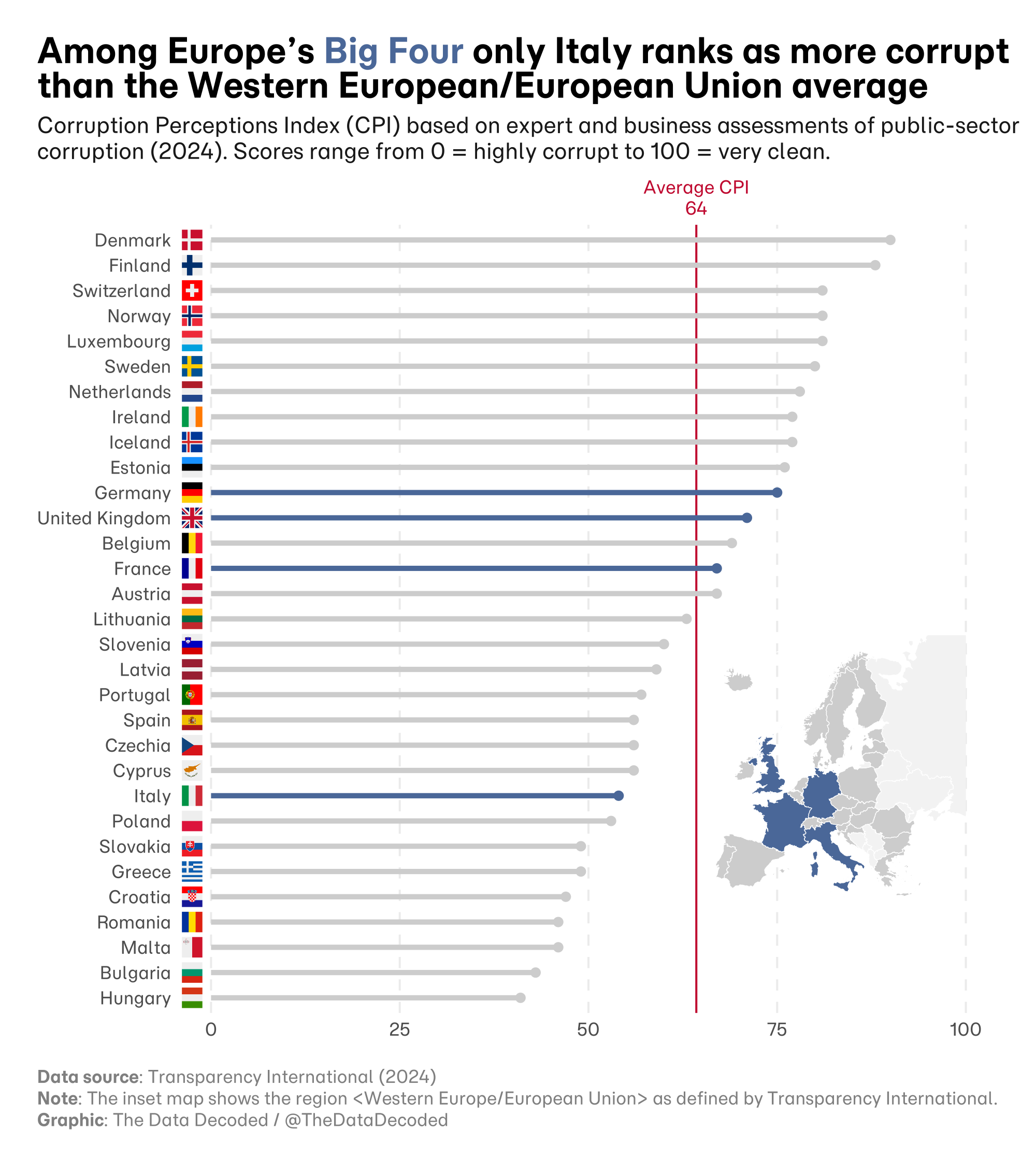
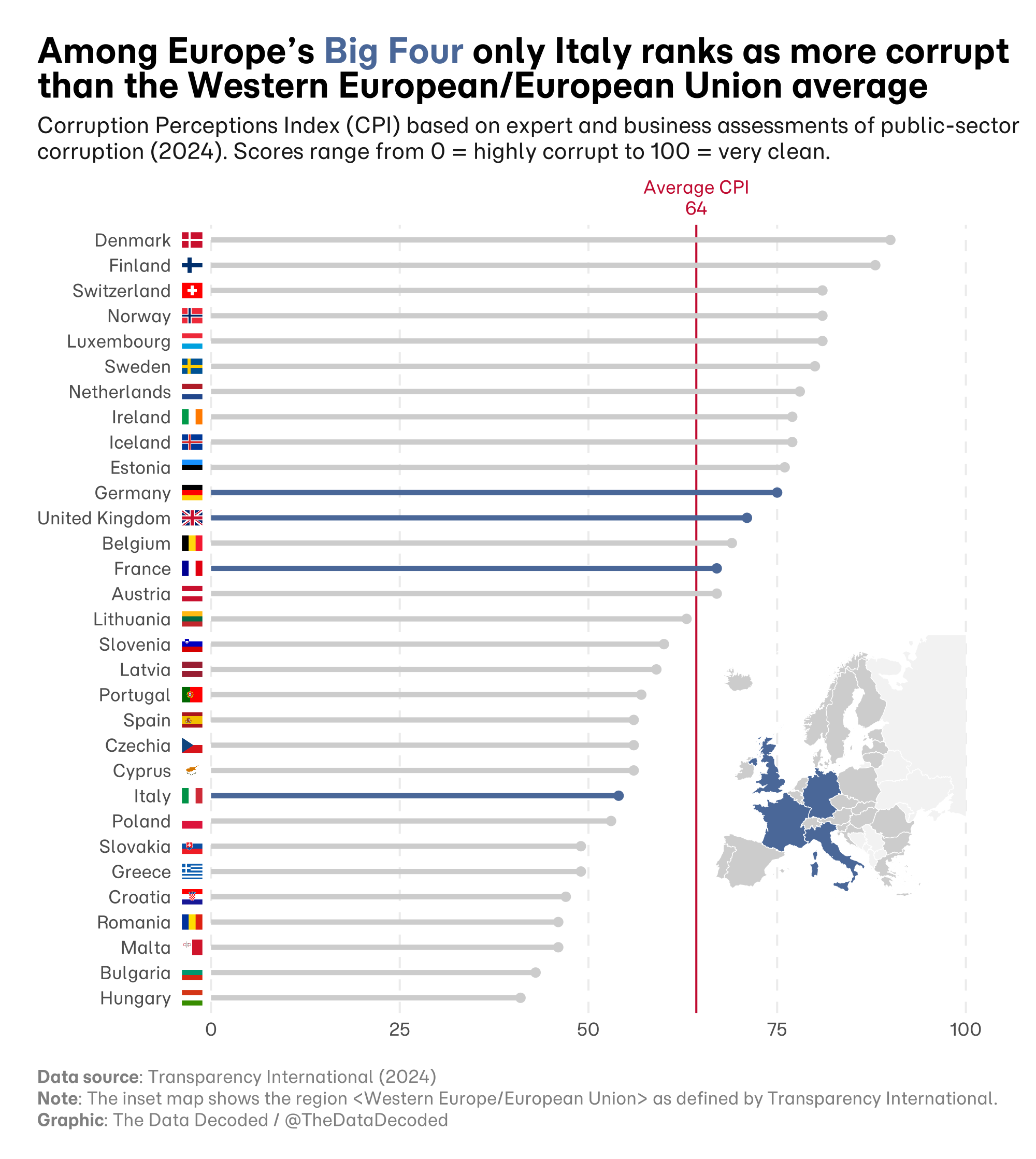
An example comparing the Corruption Perception Index Europe's Big Four (France, Germany, UK and Italy) in 2024
Country flags can make familiar places quick to recognize in a chart, but they can also distract from the data or make a chart harder to read for people who do not know the flags. These three versions of the same Corruption Perceptions Index comparison show how round, square, and rectangular flags affect the presentation.
Flags can save label space and add visual appeal, particularly for familiar countries. Their strong colors can also compete with the data, and readers who do not recognize a flag still need a text label. Different flag proportions create alignment problems when a chart uses them as repeated symbols.
The original article includes a reusable R function for downloading flags and placing them in ggplot charts. The three exports here show its round, square, and rectangular options on the same CPI comparison.
Sources and methodology
The CPI comparison uses Transparency International's 2024 results. The flag graphics come from the flag-icons gallery by Panayiotis Lipiridis. The original Quarto analysis documents the flag conversion and the three chart variants.